








Peace of mind starts with staying connected to what matters most.


-
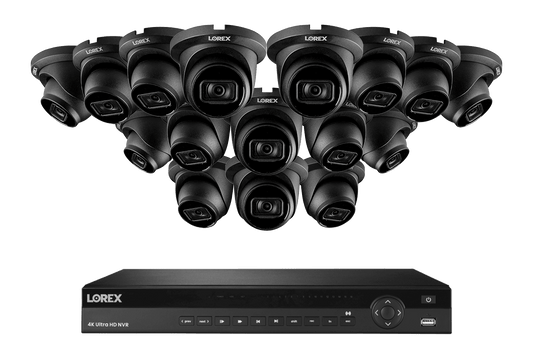
Nocturnal Series Lorex 4K (16 Camera Capable) 4TB Wired NVR System with Nocturnal 3 Smart IP Dome Cameras with Listen-In Audio and 30FPS
Regular price From $1,200.00Sale price From $1,200.00Regular price$1,499.99Save $299.99 (20%)Sale -
A Series Lorex Fusion Series 4K 16 Camera Capable (Wired or Fusion Wi-Fi) 4TB Wired NVR System with A14 IP Dome Cameras
Regular price From $1,444.99Sale price From $1,444.99Regular price$1,699.99Save $255 (15%)Sale -
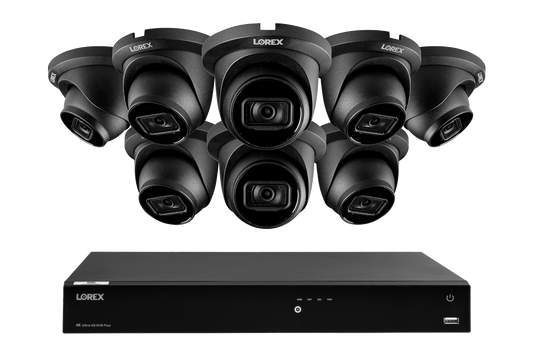
A Series Lorex Fusion Series 4K+ 16 Channel (8 Wired + 8 Fusion Wi-Fi) 2TB Wired System with A14 Wired 4K IP Dome Cameras
Regular price From $977.99Sale price From $977.99Regular price$1,149.99Save $172 (15%)Sale -

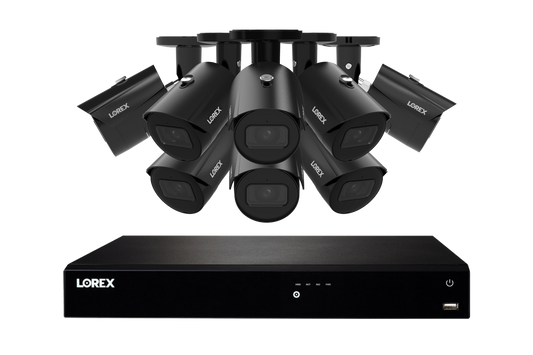
Nocturnal Series Lorex 4K (16 Camera Capable) 4TB Wired NVR System with Nocturnal 3 Smart IP Bullet Cameras with Listen-In Audio and 30FPS
Regular price From $1,913.00Sale price From $1,913.00Regular price$2,249.99Save $336.99 (15%)Sale -

H Series Lorex 4K+ 12MP 16 Camera Capable (8 Wired + 8 Fusion Wi-Fi ) 2TB Wired NVR System with H30 IP Dome Cameras
Regular price From $1,320.00Sale price From $1,320.00Regular price$1,649.99Save $329.99 (20%)Sale -

Nocturnal Series Lorex 4K (16 Camera Capable) 4TB Wired NVR System with Nocturnal 3 Smart IP Dome Cameras with Listen-in Audio and Motorized Varifocal Lenses
Regular price From $2,635.00Sale price From $2,635.00Regular price$3,099.99Save $464.99 (15%)Sale -

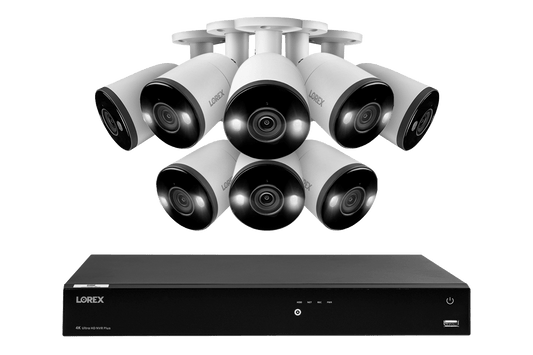
H Series Lorex 4K+ 12MP 16 Camera Capable (8 Wired + 8 Fusion Wi-Fi ) 2TB Wired NVR System with H30 IP Bullet Cameras
Regular price From $1,440.00Sale price From $1,440.00Regular price$1,599.99Save $159.99 (10%)Sale -
A Series Lorex Fusion Series 4K 16 Camera Capable (Wired or Fusion Wi-Fi) 4TB Wired NVR System with A14 IP Bullet Cameras
Regular price From $1,359.99Sale price From $1,359.99Regular price$1,699.99Save $340 (20%)Sale -
A Series Lorex Fusion Series 4K+ 16 Channel (8 Wired + 8 Fusion Wi-Fi) 2TB Wired System with A14 Wired 4K IP Bullet Cameras
Regular price From $919.99Sale price From $919.99Regular price$1,149.99Save $230 (20%)Sale -

Nocturnal Series Lorex 4K (16 Camera Capable) 4TB Wired NVR System with Nocturnal 3 Smart IP Bullet Cameras with Motorized Varifocal Lens
Regular price From $2,414.00Sale price From $2,414.00Regular price$2,839.99Save $425.99 (15%)Sale -

H Series Lorex Fusion Series 4K 16 Camera Capable (Wired or Fusion Wi-Fi) 4TB Wired NVR System with H20 IP Dual Lens Cameras
Regular price From $2,634.99Sale price From $2,634.99Regular price$3,099.99Save $465 (15%)Sale -

H Series Lorex Fusion Series 4K+ 16 Channel (8 Wired + 8 Fusion Wi-Fi) 2TB Wired System with H13 Wired 4K IP Bullet Cameras
Regular price From $999.99Sale price From $999.99Regular price$1,249.99Save $250 (20%)Sale -
H Series Lorex Fusion Series 4K+ 16 Channel (8 Wired + 8 Fusion Wi-Fi) 2TB Wired System with H20 Wired 4K IP Dual Lens Cameras
Regular price From $1,664.99Sale price From $1,664.99Regular price$1,849.99Save $185 (10%)Sale -
H Series Lorex Fusion Series 4K 16 Camera Capable (Wired or Fusion Wi-Fi) 4TB Wired NVR System with H13 Bullet Cameras
Regular price From $1,559.99Sale price From $1,559.99Regular price$1,949.99Save $390 (20%)Sale -
Lorex 1080p 8 Camera Capable 1TB Wired DVR System with 1080p HD CVI Bullet Cameras
Regular price From $479.99Sale price From $479.99Regular price$679.99Save $200 (29%)Sale -
A Series Lorex Fusion Series 4K+ 16 Channel (8 Wired + 8 Fusion Wi-Fi) 2TB Wired System with A4 Wired 2K IP Turret Cameras
Regular price From $899.99Sale price From $899.99Regular price$999.99Save $100 (10%)Sale
Home Security Camera Systems
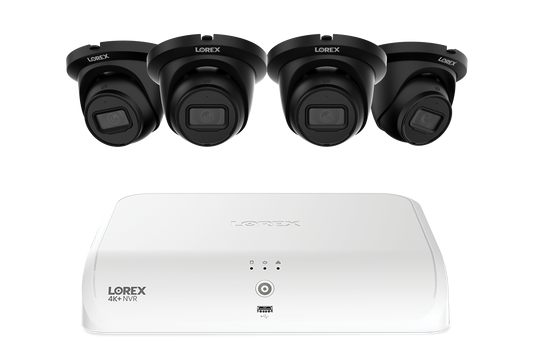
Whether you live in a family home or a large estate, Lorex has a home security camera system designed to fit your space and layout. Each system includes a powerful recorder (NVR or DVR) and compatible wired cameras (IP or analog) that work together to help you stay connected to your home, wherever you are.
Why Buy a Lorex Home Security Camera System?
Continuous 24/7 Recording
Wired Lorex systems provide dependable, always-on coverage with continuous recording to your recorder’s surveillance-grade hard drive. This helps ensure important activity around your home is captured, even if your internet goes down, you miss an alert, or you need to review footage later.
Centralized System Control
A dedicated recorder brings your cameras, footage, storage, and settings together in one place. This makes it easier to manage your home security system, review recordings, and keep coverage organized across multiple areas of your property.
Local Video Storage
Lorex wired systems store footage locally on the recorder, helping keep your video private, accessible, and under your control without required monthly cloud storage fees.
Expandable Coverage
Choose a system size that fits your home today, with room to add more compatible cameras or upgrade storage as your needs change.
Remote Viewing
Check live cameras, receive alerts, and review recordings from your smartphone, helping you stay connected to your home while you’re away.
High Resolution Video
Clear, detailed video helps you see important activity more easily and capture footage that can be useful for evidence, identification, or reviewing past events.
Night Visibility
Color Night Vision, infrared night vision, and advanced imaging features help maintain visibility after dark, making it easier to capture useful footage no matter the lighting conditions around your home.
Smart Motion Detection
Person, vehicle, and other smart detection features help you stay aware of important activity around your home, reduce unnecessary alerts, and know when something needs your attention.
Deterrence
Visible security cameras can help discourage unwanted activity, while features like warning lights, sirens, and two-way talk, help draw attention and allow you to respond when needed.
Outdoor Durability
Lorex outdoor security cameras are built with heavy-duty exteriors designed to handle extreme temperatures, rain, snow, and tampering, helping provide reliable year-round coverage.
Types of Home Security Camera Systems
Lorex offers two main wired home security camera system types: NVR systems with IP cameras and DVR systems with analog cameras. Both provide reliable local recording, remote access, and long-term protection, but they differ in how they connect, install, and expand.
THE MODERN STANDARD
NVR Home Security Systems
NVR systems use IP cameras connected through Ethernet cables with Power over Ethernet (PoE). This allows each camera to receive power and transmit video through a single cable, creating a clean and reliable setup for modern home security.
- Single-cable PoE connections deliver power and video up to 300 ft per camera, with PoE switches or extenders available for longer runs
- Network connectivity helps NVR systems support higher resolutions for sharper, more detailed video
- Advanced smart detection and alerts powered by IP camera intelligence
- Available in higher-channel options, allowing you to connect more IP cameras
- Built-in processors help IP cameras stay future-ready with firmware updates and supported feature upgrades
Choose an NVR system if you want a modern wired home security solution with clean installation, strong video quality, smart features, and room to expand as your coverage needs grow.
PROVEN & COST-EFFECTIVE
DVR Home Security Systems
DVR systems use analog HD cameras connected with RG59 Siamese coaxial cabling. This proven technology is a dependable and cost-effective option for homeowners who want continuous recording, long cable runs, or an easier upgrade path for homes already wired with coaxial cable.
- Cost-effective 24/7 recording for dependable home security coverage
- Great for upgrading homes with existing coaxial security camera wiring
- RG59 Siamese cable carries video and power together, allowing cameras to be powered from an adapter near the DVR
- Supports long camera runs (up to 800 ft) for driveways, gates, detached garages, and larger properties
- Supports essential home security features like HD video, smart motion detection, night visibility, and active deterrence.
Choose a DVR system if you want a reliable wired security solution that delivers strong value, continuous recording, and a practical upgrade path for existing analog camera installations.
Add Smart Home Wireless Products
Standalone Lorex smart home security products, such as Wi-Fi cameras, video doorbells, floodlight cameras, and lightbulb cameras, can be used alongside a wired NVR or DVR system to add flexible coverage in areas where running cables may not be practical.
Key Areas to Cover with Your Home Secuirty Camera System
A strong home security setup starts with the areas that matter most. Placing cameras around key access points, high-traffic areas, and vulnerable outdoor spaces helps reduce blind spots and gives you a clearer picture of what’s happening around your home.
Front Door & Main Entrances
Place cameras where visitors, deliveries, and daily activity are most likely to happen.
Driveways & Garages
Monitor vehicles, garage doors, tools, equipment, and garage entryways that may provide direct access into your home.
Backyards & Side Yards
Cover patios, gates, side entrances, and outdoor areas to help detect unexpected activity around less-traveled parts of your home.
Windows & Secondary Entrances
Add coverage to lower-level windows, basement entrances, side doors, and other access points that may otherwise be overlooked.
Detached Buildings & Property Lines
Plan coverage for sheds, workshops, barns, guest houses, detached garages, long driveways, and distant property lines.
Home Security Camera System Planning & Installation Tips
Plan Your System Before Purchase
Before choosing a system, think through your home layout, camera locations, and long-term coverage needs. A little planning helps make installation easier and ensures your system has room to grow.
- Choose a recorder with enough channels for the cameras you need now and future additions.
- Measure cable runs before installation to confirm distance requirements.
- Decide where the recorder will be placed, preferably in a secure, ventilated location.
- Consider storage needs based on camera count, resolution, and how long you want to keep footage.
- Plan for harder-to-reach areas like detached garages, gates, sheds, or long driveways.
Tips for Installation
Proper installation helps your cameras capture clearer, more useful footage while keeping cables and equipment protected.
- Mount cameras high enough to stay out of reach while still capturing faces and activity.
- Angle cameras toward key movement paths, such as doors, walkways, driveways, and gates.
- Avoid pointing cameras directly at bright lights, reflective surfaces, or the rising/setting sun.
- Use overlapping camera views in important areas to help reduce blind spots.
- Use junction boxes, conduit, or protected cable paths for cleaner, more durable installations.
Accessories for Home Security Camera Systems
Complete your home security camera system setup with accessories that help improve installation flexibility, extend coverage, protect connections, and support reliable long-term recording.
Security Hard Drives
Increase how long your home security footage is stored with security-grade hard drives built for continuous 24/7 recording in NVR and DVR systems.
Shop Security Hard Drives >
Security Camera Cables
Connect wired cameras to your recorder with the right cabling for your system, including Ethernet cables for IP cameras and RG59 Siamese cables for analog cameras. Choose from pre-made lengths or bulk rolls to support clean, dependable camera runs around your home.
Shop All Security Camera Cables >
PoE Switches & Extenders
Support longer IP camera runs, simplify cable layouts, and connect cameras to available NVR channels when your recorder supports more cameras than it has built-in PoE ports.
Shop PoE Switches & Extenders >
Coax to Ethernet Adapters
Reuse existing coaxial wiring for select IP camera upgrades, helping modernize older camera installations without running all-new Ethernet cable.
Shop Coax to Ethernet & Retrofit Adapters >
Junction Boxes, Mounts & Brackets
Protect connections, conceal wiring, and securely position cameras on walls, ceilings, poles, corners, or other surfaces for a cleaner installation, better viewing angles, and more complete coverage around your home.
Shop All Mounting Accessories >
Frequently Asked Questions
Popular Collections
Wired Security
- Build Your Security System
- Wired IP (NVR) Security
- Wired Analog (DVR) Security
- Security Recorders (NVRs & DVRs)
- Home Security Camera Systems
- Connect: T Series Cameras & Systems
- Connect: U Series Cameras & Systems
- Connect: V Series Cameras & Systems
- Connect: X Series Cameras & Systems
- Business Security Systems
- 4K Security Cameras
- A-Series Cameras & Systems
- H-Series Cameras & Systems
- Nocturnal Series Cameras & Systems
- PTZ Series Cameras & Systems